
1B FilesFile manager for Android
All your files. None of the junk.
1B Files shows everything on your phone at a glance, finds what's quietly eating your space — duplicates, junk, old downloads, installers you no longer need — and frees it in a couple of taps. Then it goes further: your own servers, a folder only your fingerprint opens, and your files in any browser on your Wi-Fi.
- 7 kinds of cleanup
- SFTP · FTP · SMB · WebDAV
- Access from your PC
- 30-day trash
- No ads, ever
Early accessClosed testing on Google Play
The test page works once your Google account is on our tester list.
New · 0.3Safer and faster
The big 0.3 update
Copies that never cost you a file, an encrypted safe folder, your servers and your PC one tap away, and two panes you can drag between. Plus Undo after moving to the trash, a customizable home, quick search, a smoother Images view and full TalkBack support.
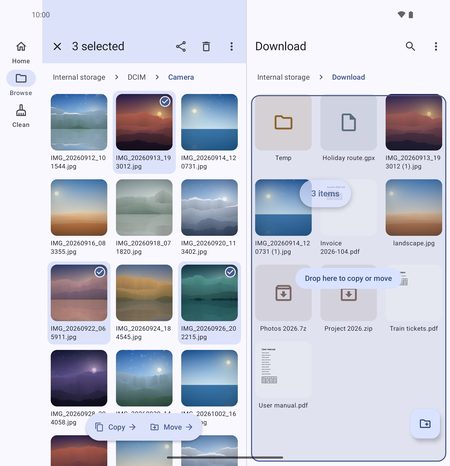
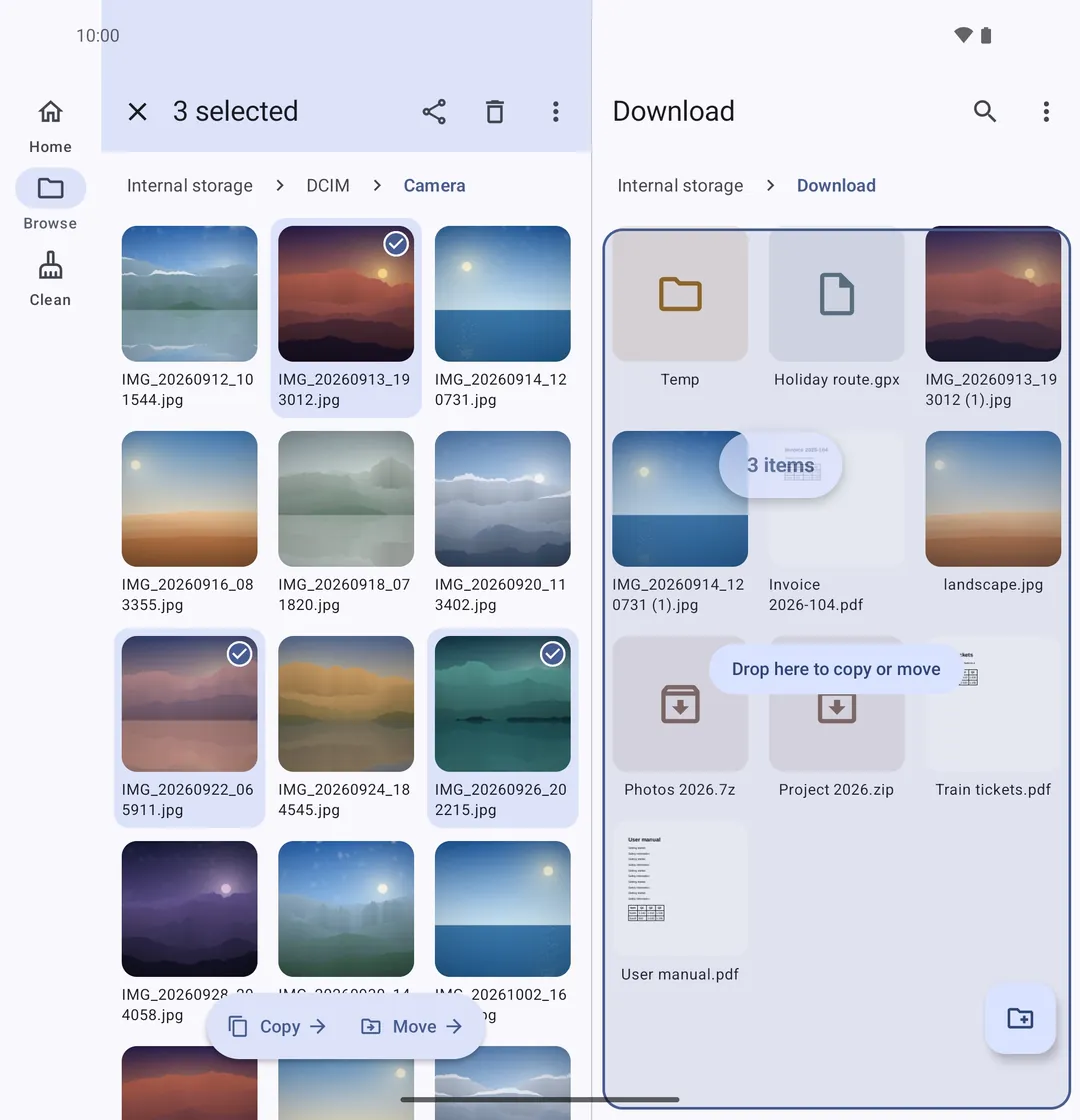
Drag and drop between two panes
On tablets and unfolded foldables, drag files from one pane and drop them on the other to copy or move. Folding keeps your folder, selection and scroll position.
Copy and move without losing data
Every copied file is written to disk and checked before the original is deleted — if anything fails, the original stays intact. Long jobs run in the background, in a queue, with clear choices for name conflicts.
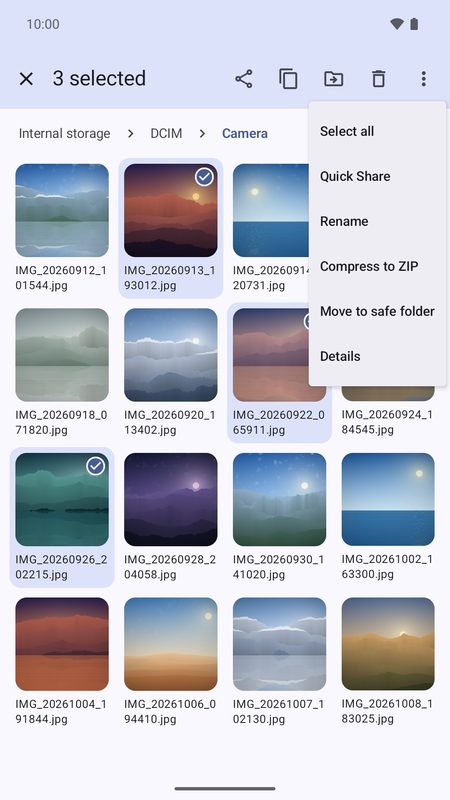
An encrypted safe folder
Files are encrypted with a key kept in Android's secure hardware and open only after your fingerprint or PIN. The folder locks again after a few minutes and is hidden from recent apps.
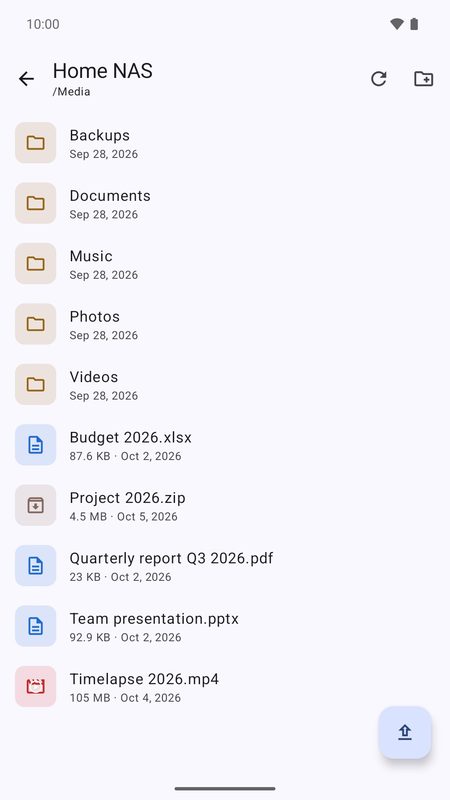
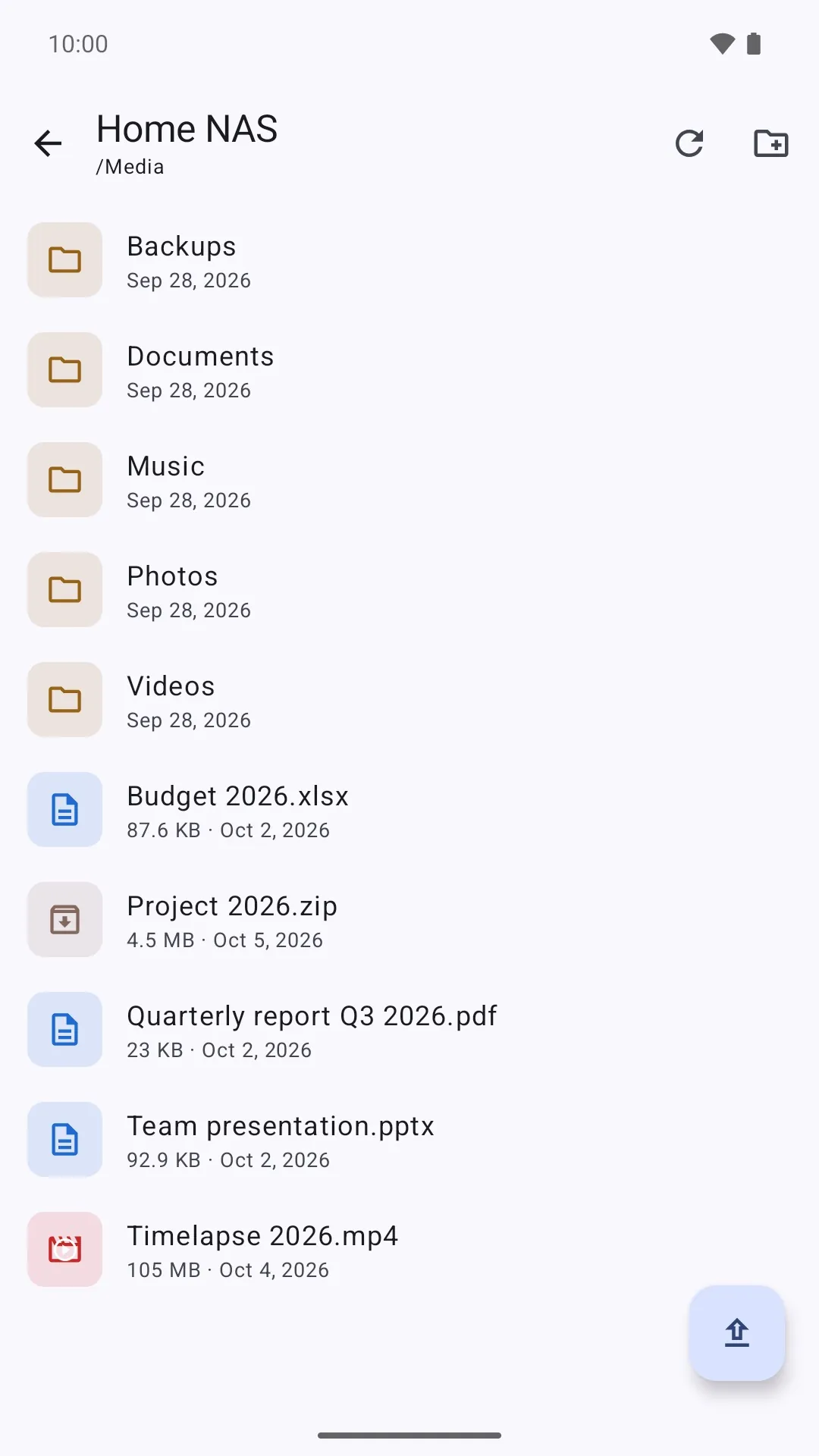
A full browser for your servers
SFTP, FTP/FTPS, SMB and WebDAV: browse, copy, move, rename and delete on the server, and play videos and music or open photos without downloading them first.
Access from PC, with a PIN
Open the address in your computer's browser and enter the PIN shown on your phone to view, download and upload files. Wi-Fi or hotspot only, and it turns off by itself when not in use.
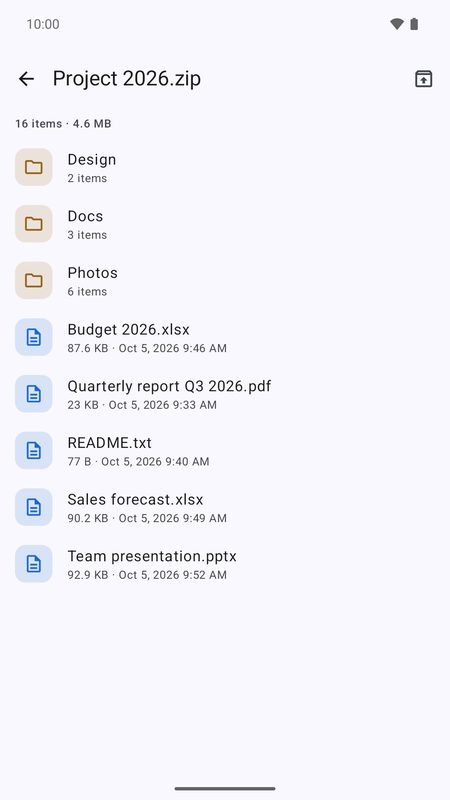
Pro tools, built in
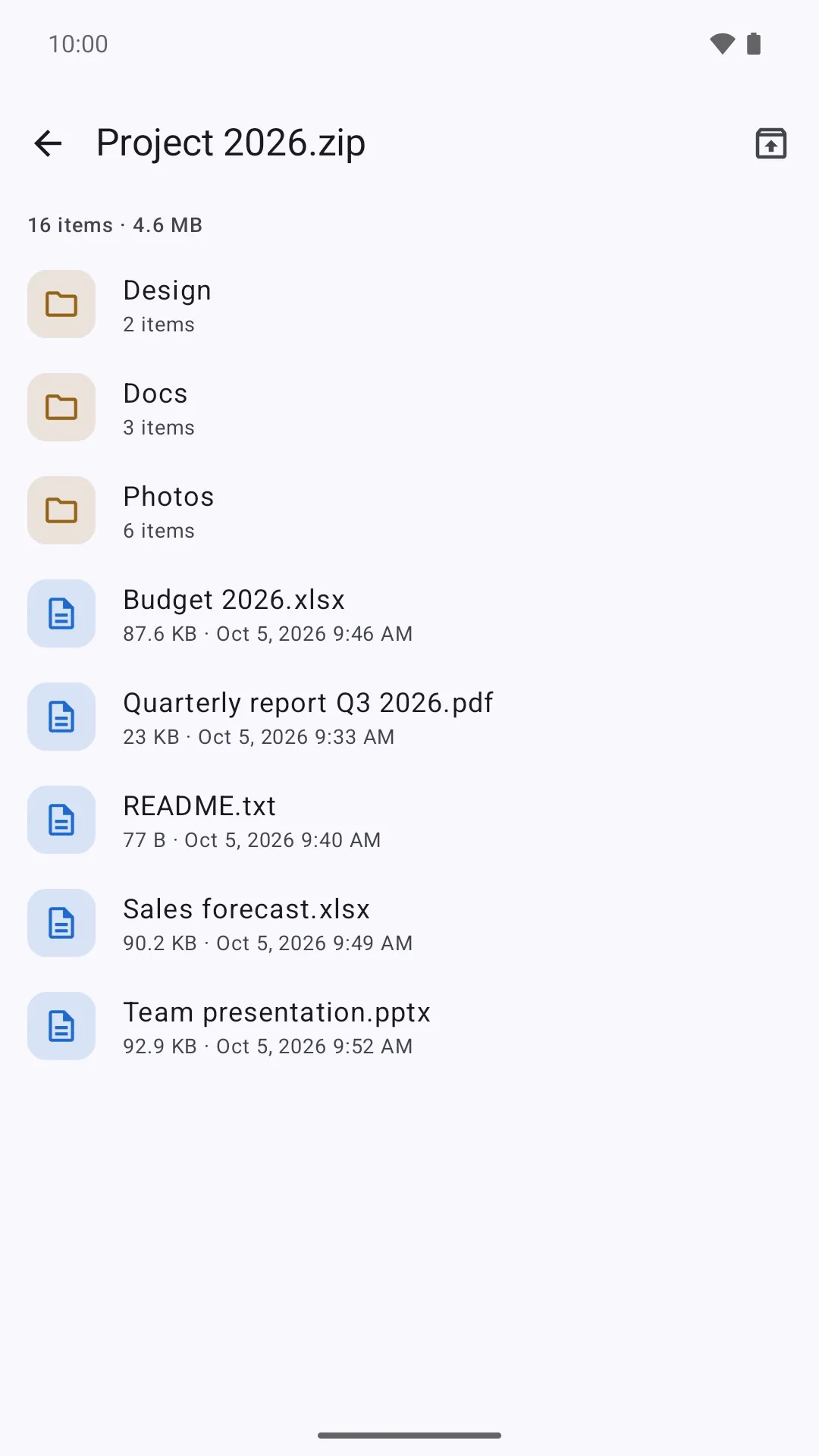
ZIP, 7z, RAR and TAR with a password, new ZIP files with AES-256, a text editor with find and replace, batch rename with a preview, and MD5/SHA checksums.
Seven places where your space hides
Your phone fills up with things you never chose to keep. 1B Files knows where to look — and shows you everything before anything is deleted.
Before · storage almost full
Junk, copies and forgotten downloads hide between your photos and apps.
After · one tap on Clean
The same photos, videos and apps — and room to breathe.
App cache
Lists the apps holding the most cache and takes you straight to the place to clear it.
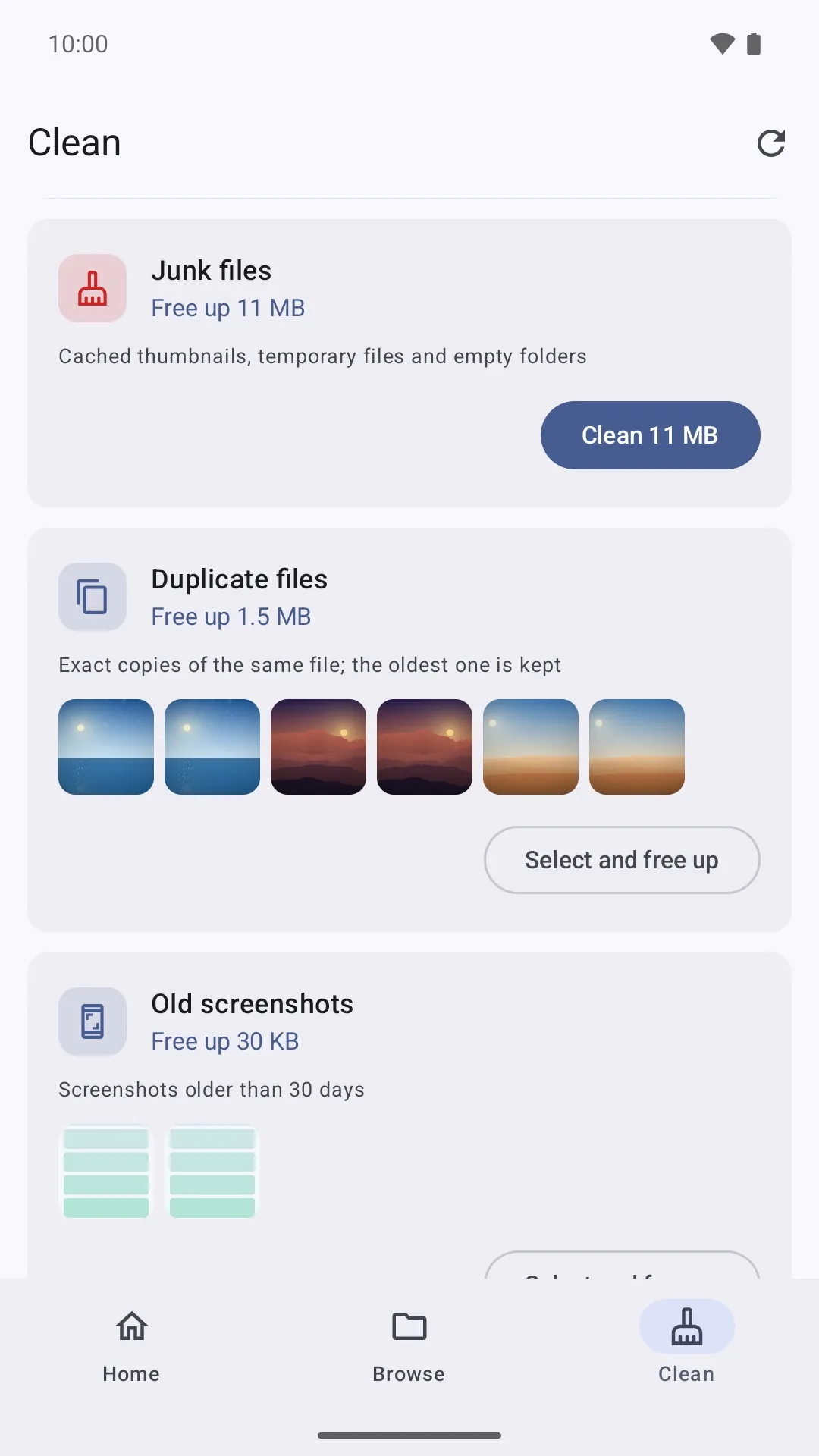
Junk files
Thumbnail caches, temporary files and empty folders that nobody misses.
Duplicate files
Exact copies of the same file. The oldest one is always kept.
Installers you already used
APK files for apps that are already installed in the same or a newer version.
Old screenshots
Screenshots older than 30 days, ready to review.
Old downloads
Files that have sat in Downloads for more than 30 days.
Large files
Everything over 100 MB, for you to decide — never selected for you.
Nothing gone in a hurry
Whatever you clean goes to the trash first and waits there for 30 days, in case you change your mind.
- 7kinds of cleanup suggestions
- 3checks before two files count as duplicates
- 30days in the trash before anything is gone for good
How it spots a duplicate — without fooling itself
Two files with the same name aren't necessarily the same. Two files with the same content are. That's what 1B Files compares.
Same size?
Only files with exactly the same size can be copies, so everything else is ruled out in an instant.
Same beginning?
The first 64 KB of each candidate are compared, which weeds out look-alikes quickly.
Same fingerprint?
Whatever is left gets a full SHA-256 fingerprint of its content: only identical files match.
Keep the original
In every group of copies the oldest file stays, and you review the rest before anything is deleted.
Your servers and your PC, one tap away
Browse your NAS, your web server or a shared folder as if it were on the phone. And when you're at a computer, you don't even need a cable.
- SFTP, FTP, FTPS, SMB and WebDAV: browse, copy, move, rename and delete, and play videos and music straight from the server
- SFTP checks the server's fingerprint on first connect and signs in with SSH keys
- Server passwords and keys are encrypted with a key kept in the Android Keystore
- Access from PC: open the address in any browser on the same Wi-Fi and enter the PIN shown on your phone, then download whole folders as ZIP and drag files in to upload
- It works only on your Wi-Fi or hotspot, holds off repeated wrong PINs and turns itself off when nobody is using it
Remote servers
- SFTP
- FTP
- FTPS
- SMB
- WebDAV
Extracts
- ZIP
- 7z
- RAR
- TAR
- TAR.GZ
- TAR.BZ2
- TAR.XZ
- GZ
- BZ2
- XZ
Creates
- ZIP
Opens in the app
- Photos
- Video
- Music
- Text & code
Everything else you'd expect, done right
Everything at a glance
Storage, categories and shortcuts on one screen, each with its size and number of files.
Storage analysis
See what takes up space by type, plus your largest folders and your largest files.
Photos by date
Images, videos and new files grouped under Today, Yesterday, This week and so on.
Encrypted safe folder
Private files encrypted with a key in your phone's secure hardware, opened only with your fingerprint or PIN.
Two panes on foldables
Unfold your phone or use a tablet and drag files from one pane to the other. Folding keeps your folder and selection.
Opens it right there
Built-in viewer for photos, videos, music, PDF and about 40 kinds of text and code files.
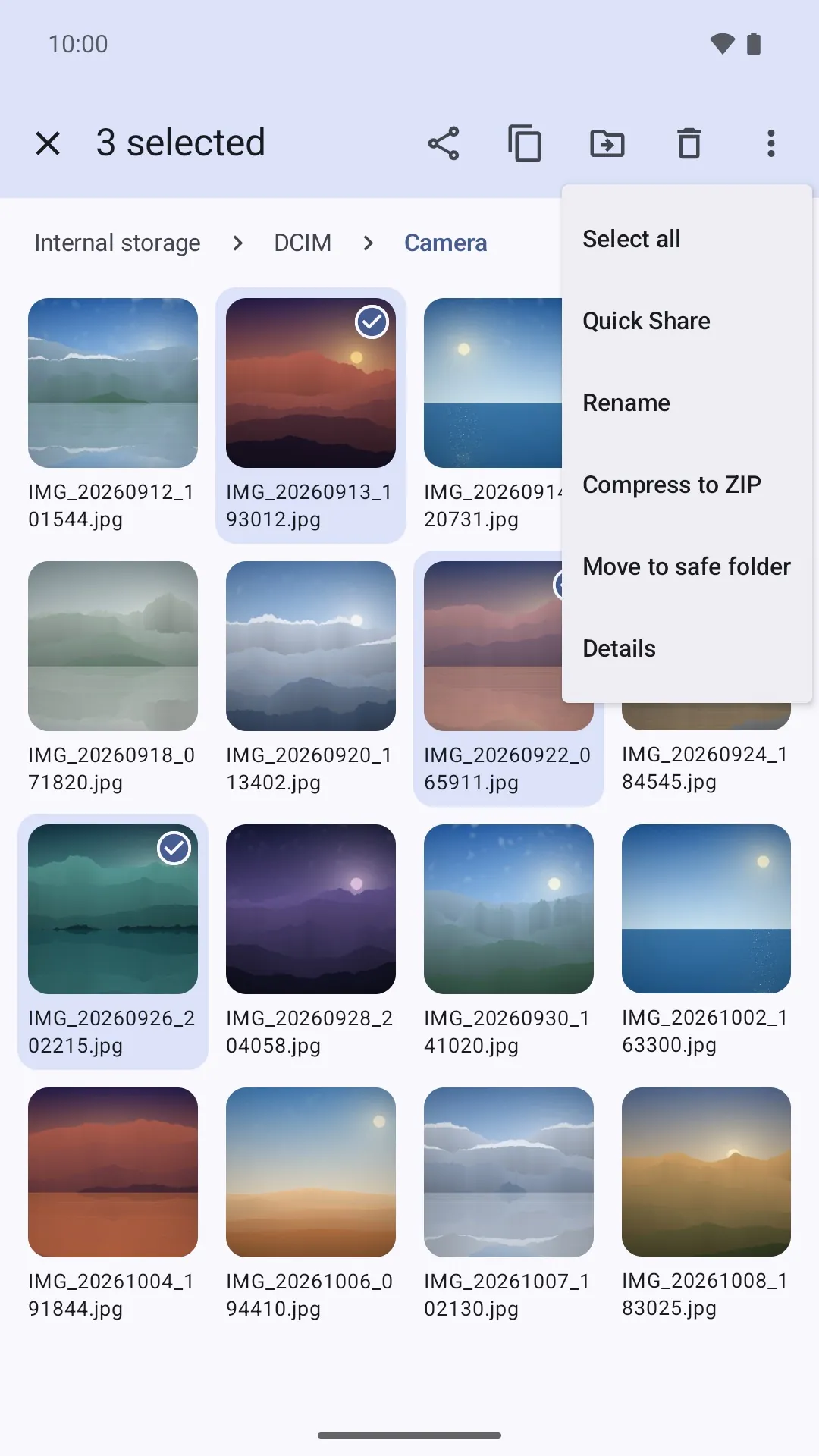
Share, zip and Quick Share
Compress to ZIP, extract archives, and send files with Quick Share or any app.
No ads. No tracking. No account.
No analytics, no sign-up and nothing uploaded to us — your files are managed on your phone.
See it in action
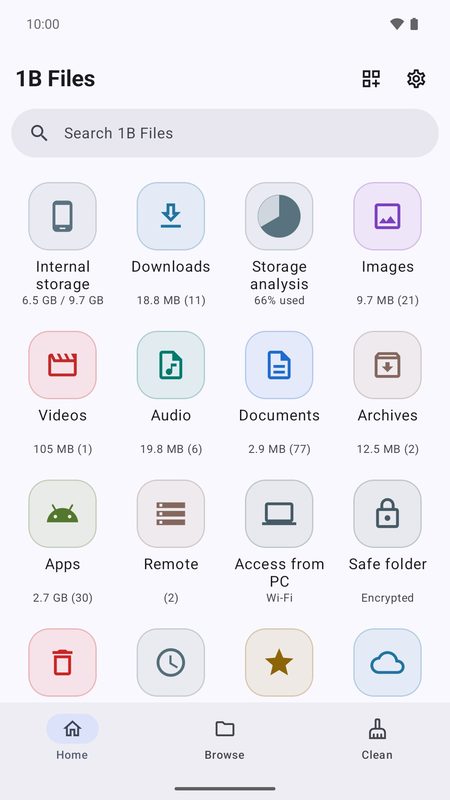
Everything on your phone at a glance
Two panes on foldables: drag to copy
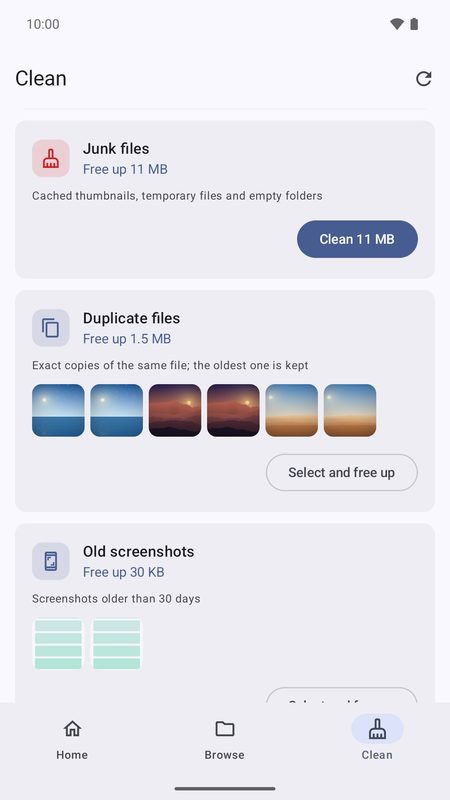
Free up space, always keeping one copy
An encrypted safe folder for private files
Your servers and your PC, from your phone
ZIP, 7z and RAR, also with a password
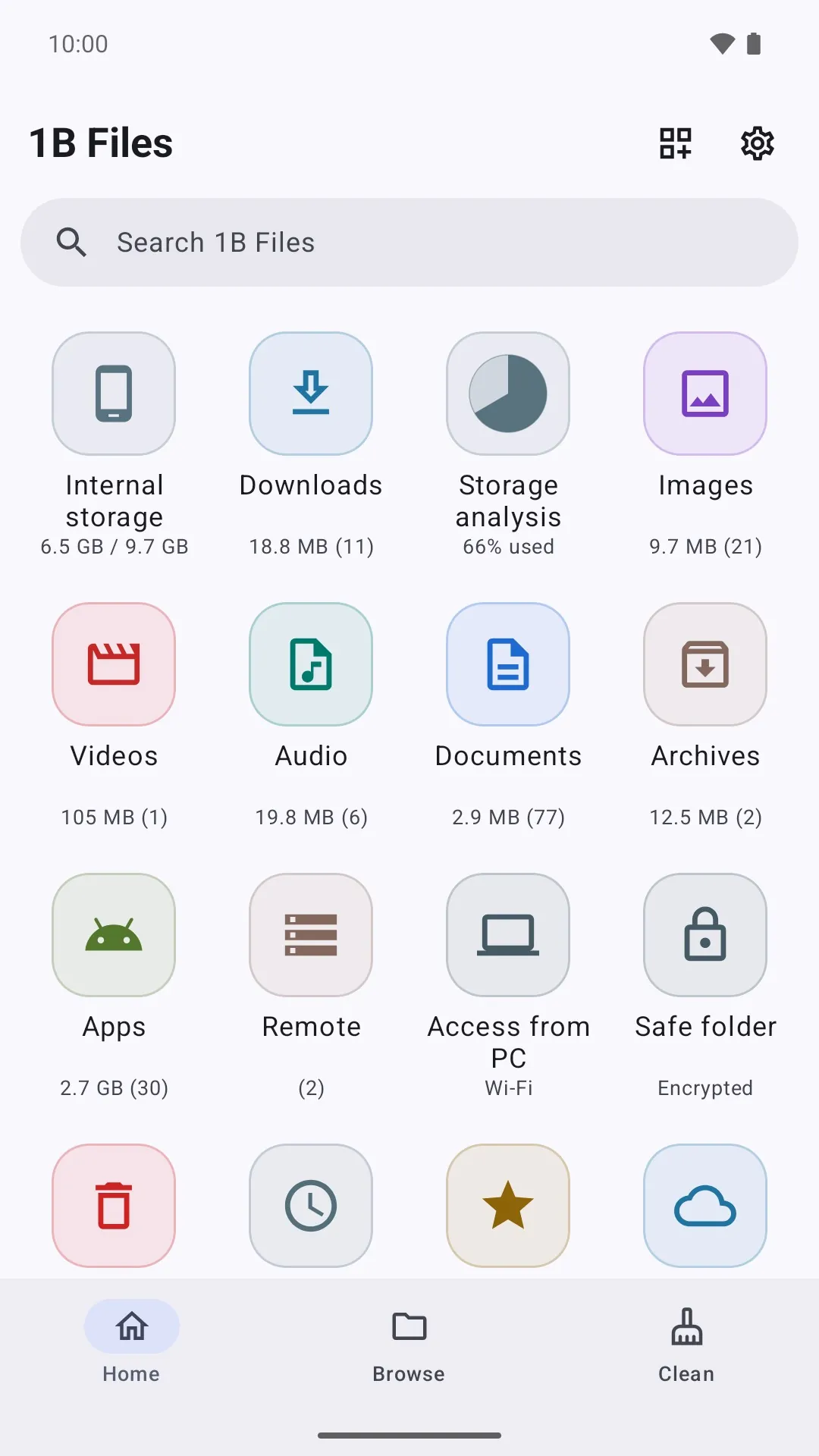
Give your phone some breathing room
1B Files is in closed testing on Google Play. Ask for an invite, then install it from the test page.
The test page works once your Google account is on our tester list.
Public release on Google Play: coming soon
Privacy at a glance
- Your files are managed entirely on your device — nothing is uploaded to us.
- Connects only to servers you configure and to cloud apps you pick in the Android file picker.
- Remote-server passwords are encrypted with a key kept in the Android Keystore.
Details
- Early access
- Closed testing on Google Play
- Requires
- Android 11 or later
- Languages
- 21 languages
- Price
- Free download
- Package
com.onebytesystems.files


